Triand allows users to print Smart Core letters for their students so that students and/or parents can view their individual Smart Core Report.
Triand Users
When you log in to Triand, click on the “students” tab.

Choose the filter that meets your role – teacher, school-level, or district-level – to view a list of your students. Leave the keywords box blank if you wish to print a Smart Core letter for each student; search for a specific student by name if you wish to print a letter for an individual student; or key #enrolled:1 in the keywords box to produce a list of only actively enrolled students.
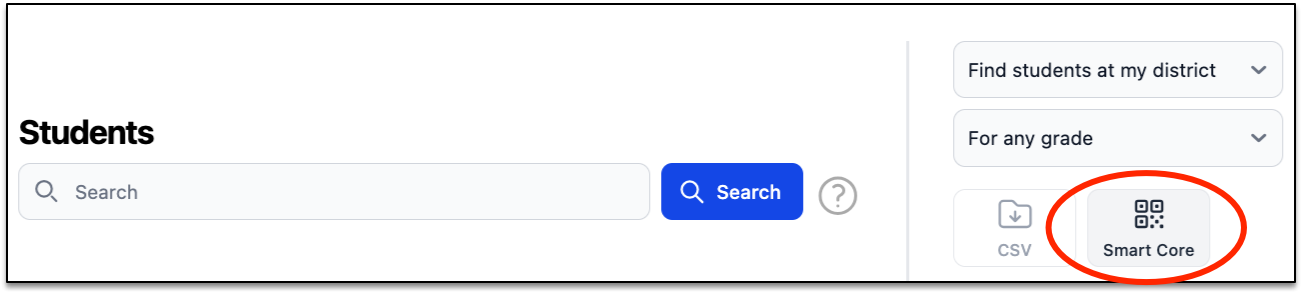
Click the “Smart Core” button to generate an Adobe PDF file.
Note: Each letter will be customized with a student’s name and personal authorization code to be used.
Print the PDF file and hand the appropriate letter to your students.
Note: The sample letter below is an example student.

Students should follow the instructions on the letter to view their individual Smart Core Reports.
Students:
Go to https://rollcall.triand.com/smartcore. Enter your unique Authorization Code (codes are case sensitive).
Your Smart Core Report will immediately display, allowing you to view the following:
- Basic student information
- Smart Core status
- Course history
- Current Schedule
- State assessment data
- Transcript requests